TruePath PDF
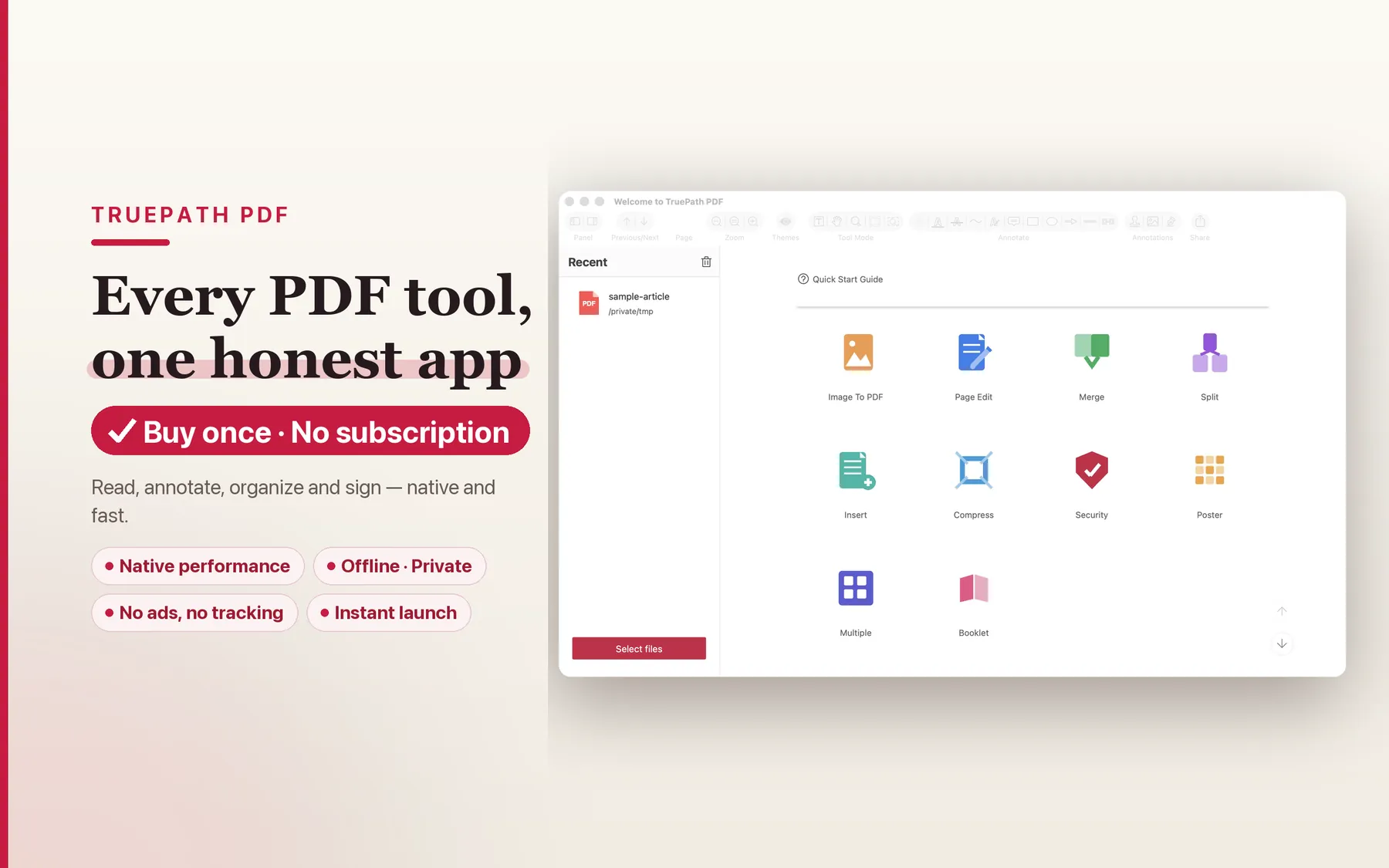
A calm, fast PDF app for Mac that puts reading first and keeps your documents private. Read comfortably, mark up, sign, fill forms, redact and organize — every tool one click away, everything on your Mac.
Download for macOS
Prefer to download directly instead of the Mac App Store? Get the notarized app straight from us and try every feature free for 14 days. After the trial, reading and annotation stay free; the Pro actions (redact, OCR, export and more) unlock with a one-time license — no subscription, no account.
- Version
- 1.0.3
- Requirements
- macOS 12 or later
- Architecture
- Universal — Apple Silicon & Intel
- Security
- Developer ID signed and notarized by Apple
- Trial
- 14-day full-feature trial, then a one-time license
- SHA-256
508645777240e2d0ffb7df9753b12c7b3c7469e18be1a3b04137b4ed4b453807
At a glance
- Version
- 1.0.3
- Platform
- macOS 12+ · Universal
- Pricing model
- Buy once. No subscription, no in-app purchases, no upsell.
- App model
- A single signed, notarized binary — no bundled runtimes
- MCP server
- Open source (MIT)
- Local processing
- No account, no cloud upload, no analytics, no tracking
What's inside
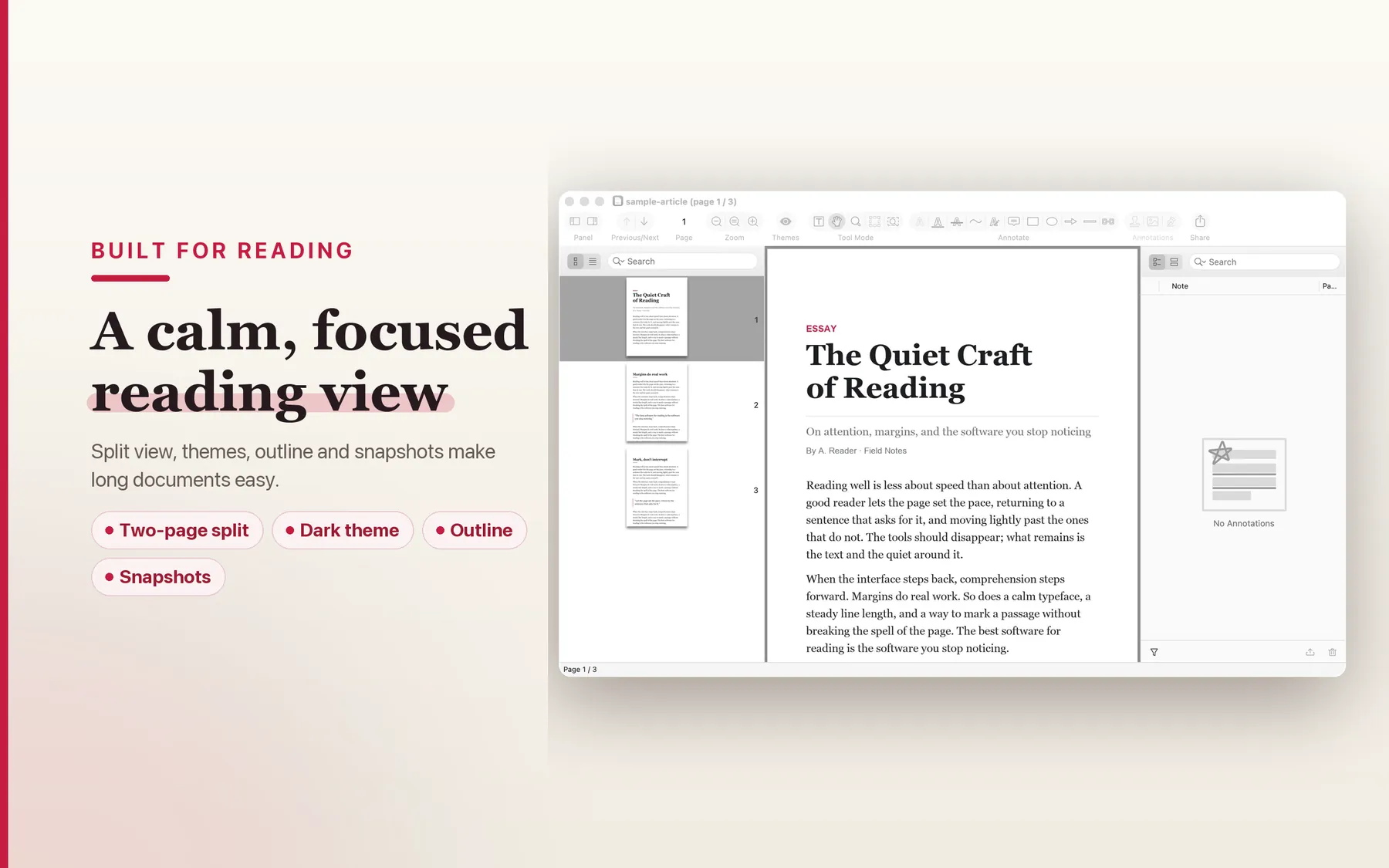
Built for reading
Smooth native reading with single, two-up and continuous layouts. Reading themes, an outline/table of contents, page snapshots, and fast full-document search make long PDFs easy to navigate.
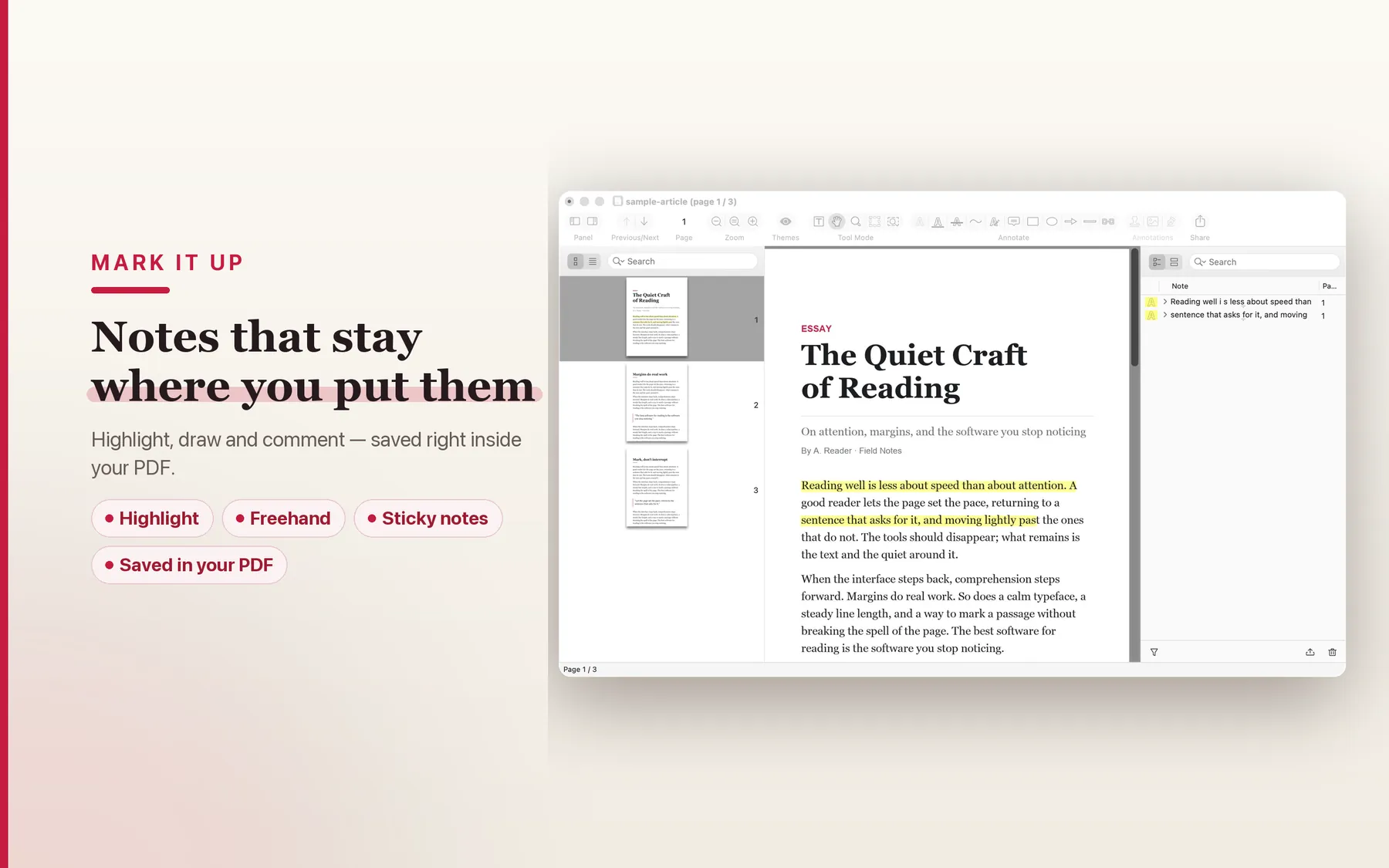
Mark it up
Highlight, underline, strike-through, draw, and add notes. Annotations save right inside the PDF — no separate sidecar file to lose or sync.
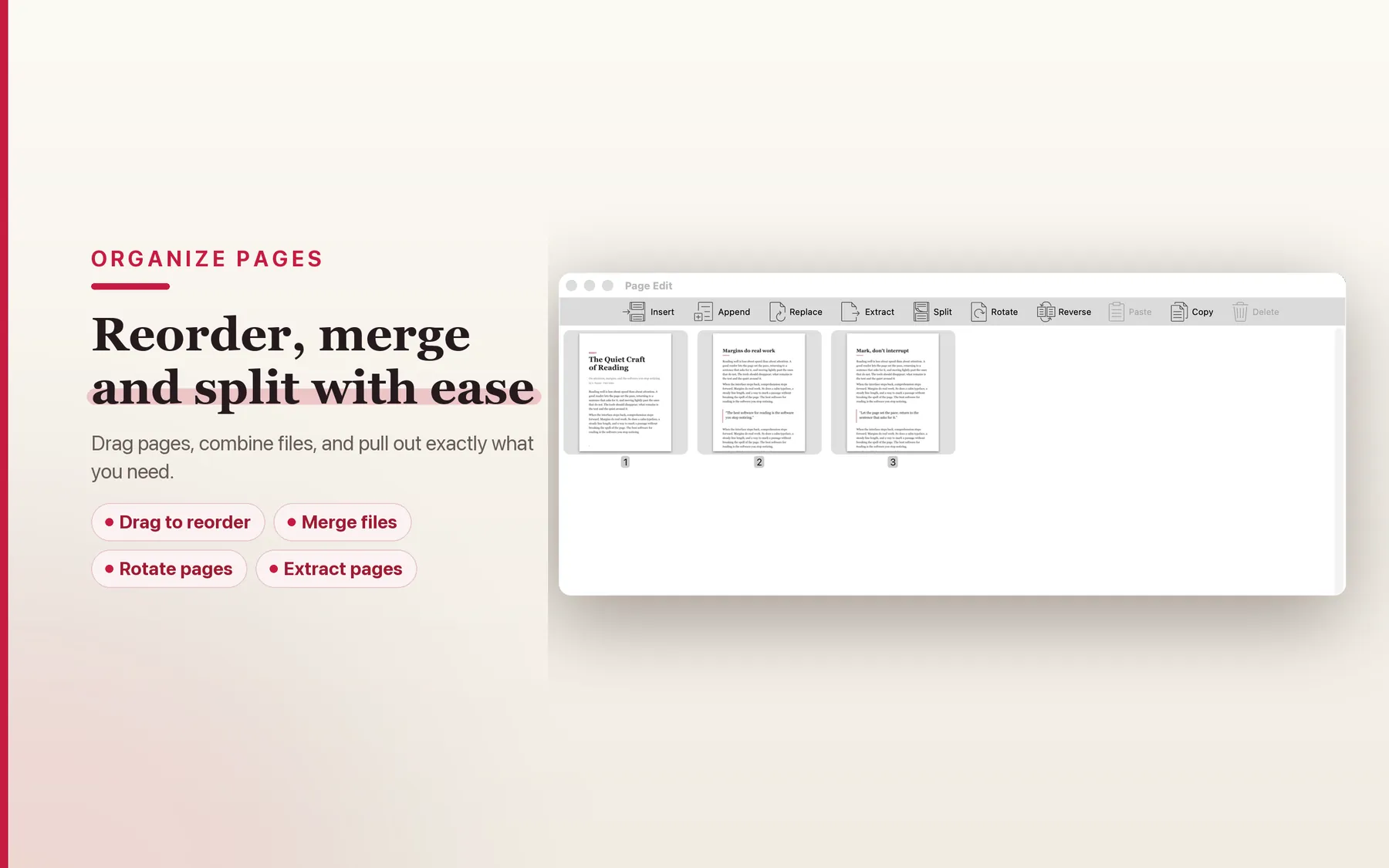
Organize & edit
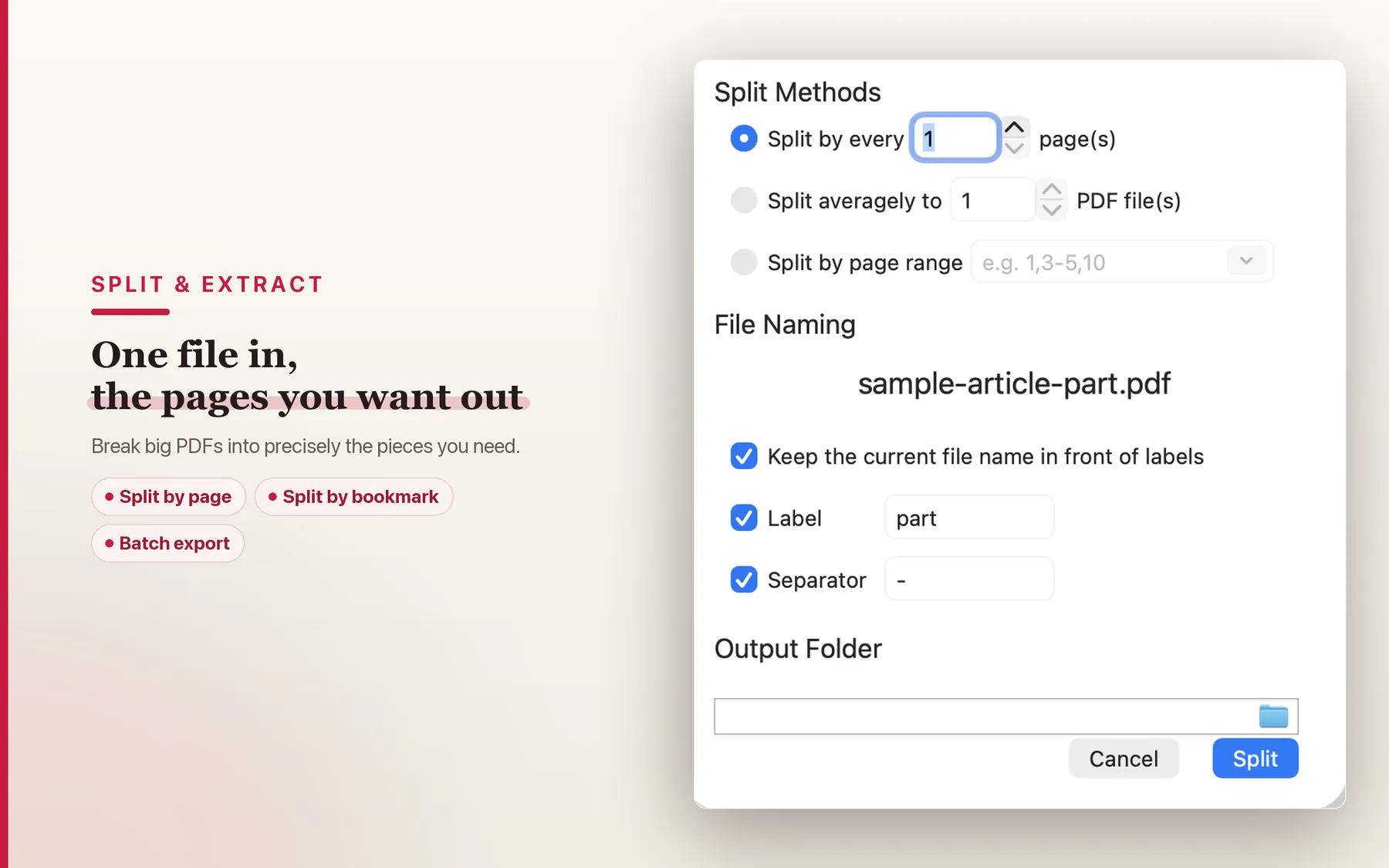
Reorder, insert, merge and split pages with drag-and-drop. Pull out exactly the pages you need, convert images to PDF, and export pages.
Fill & sign
Fill PDF form fields and save the values, add your signature, and flatten a completed form into the page so it can't be changed.
Secure & redact
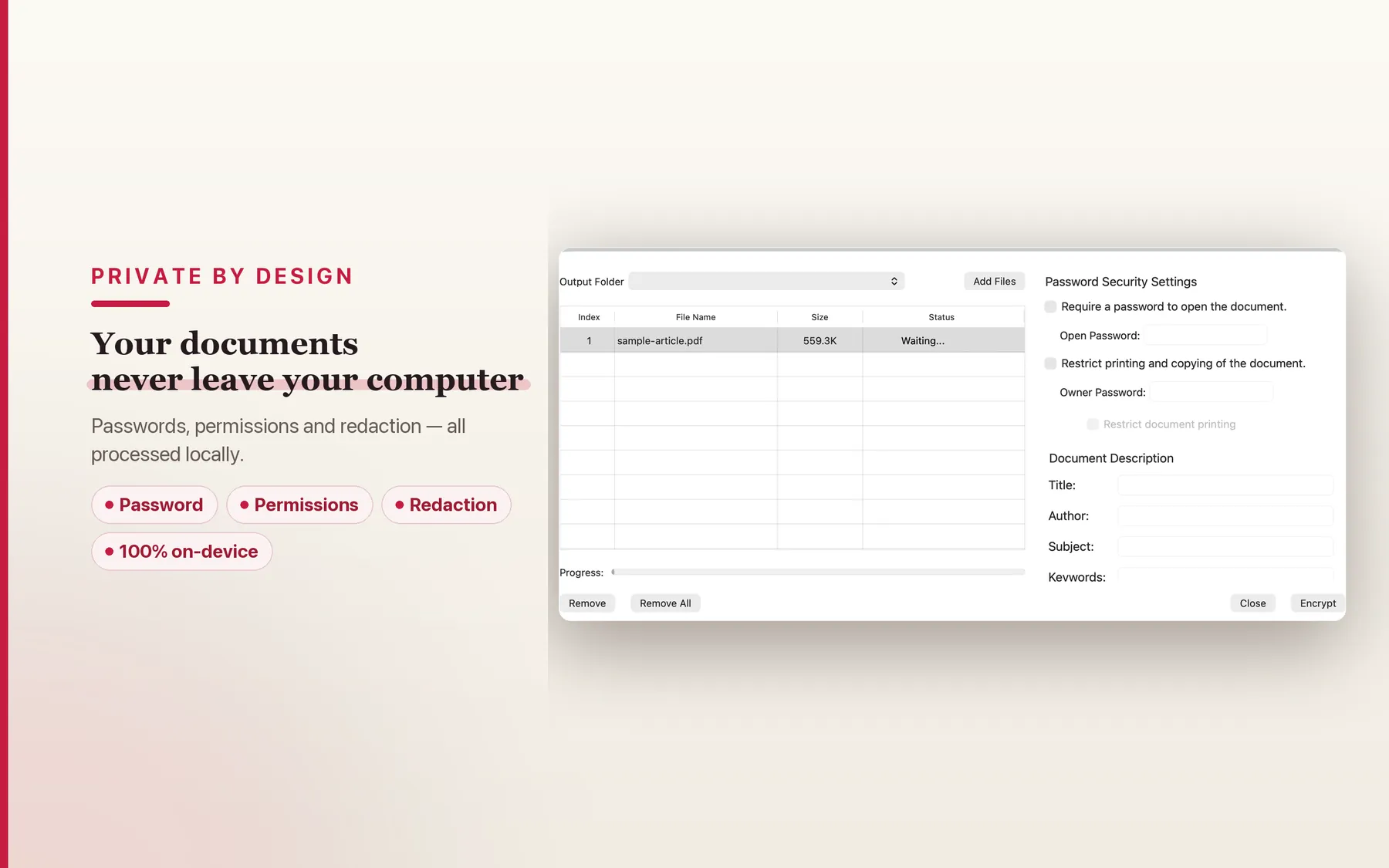
Redact sensitive text so it's truly gone — not just covered. Set passwords and permissions. Every security operation runs locally on your Mac.
Print your way
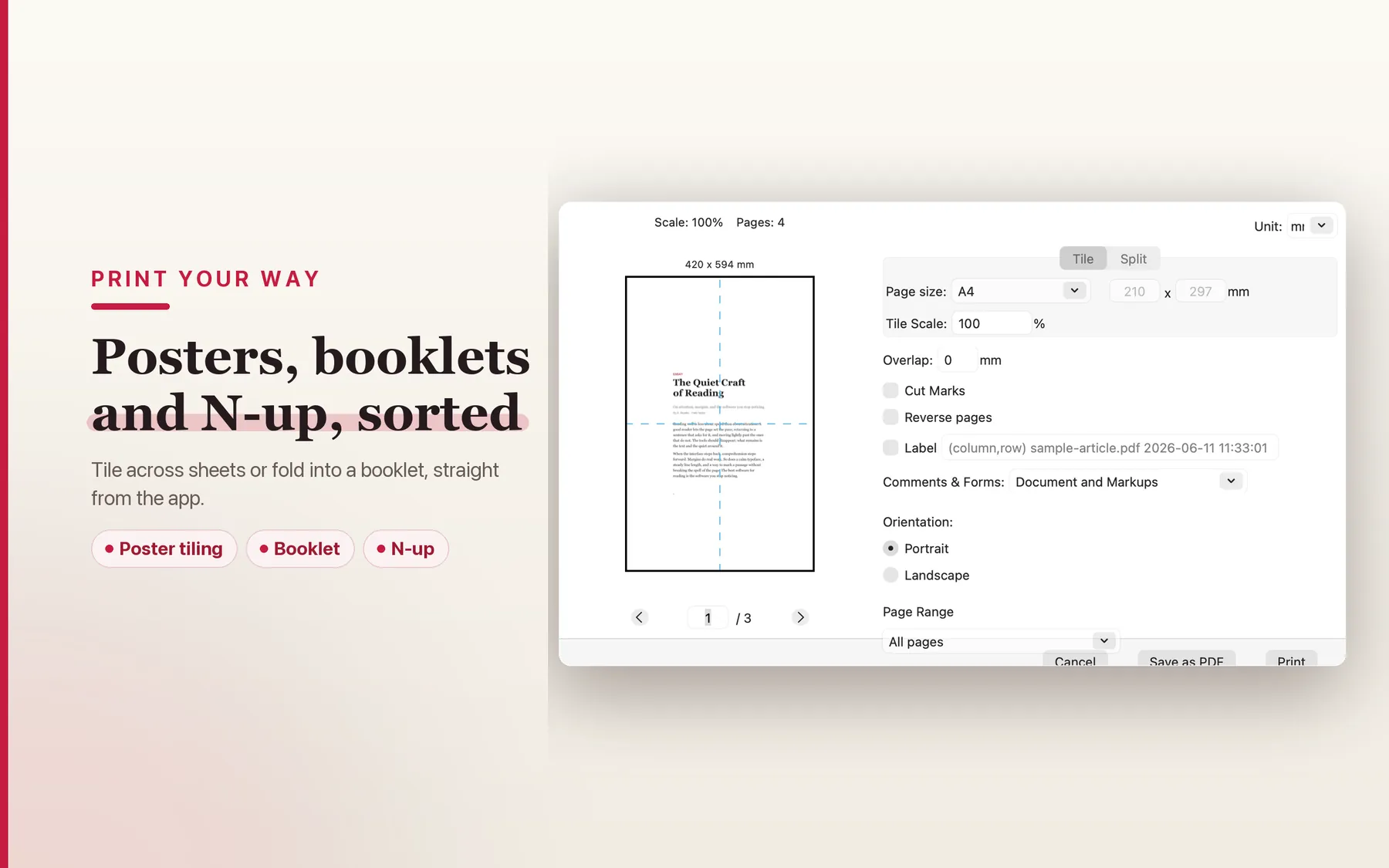
Posters tiled across multiple sheets, folded booklets, and N-up layouts — straight from the app, with the options you actually need.
Private by design
TruePath PDF runs entirely on your Mac. There's no account to create, no cloud upload, no analytics, and no tracking — your documents never leave your computer. The app is a single signed, notarized binary with a hardened runtime — no bundled runtimes, helpers, or background services.
Honest pricing
Buy once. No subscription, no in-app purchases, no upsell. The app you pay for is the app you keep.
For developers & AI workflows
TruePath PDF ships with an open-source Model Context Protocol server that runs on your Mac. Hook it up to Claude Desktop, Cursor, or any other MCP-aware client and your AI can read, search, organise, and edit your PDFs — without uploading them anywhere.
Nine tools, free, no key required:
Two-line setup for Claude Desktop — drop this into ~/Library/Application Support/Claude/claude_desktop_config.json:
{
  "mcpServers": {
    "truepath-pdf": {
      "command": "npx",
      "args": ["-y", "@truepathpdf/mcp-server"]
    }
  }
}
MIT-licensed, runs entirely on your Mac, no network call at use time. Full source and tool docs at github.com/JoyTruepath/truepath-pdf-mcp. A Pro tier unlocks with an offline-verified license key — buy once, no subscription. It adds redact (permanently removes sensitive text, not just covers it), OCR via Apple Vision, fill forms, flatten, sign, compress, autocrop, and batch processing.
Inside the app
How TruePath PDF compares
TruePath PDF is built for people who want a native Mac PDF tool with local processing, no account layer, and a clear buy-once model. Preview, PDF Expert, and Adobe Acrobat serve different kinds of workflows, but the structural trade-offs are straightforward.
| Dimension | Preview | PDF Expert | Adobe Acrobat | TruePath PDF |
|---|---|---|---|---|
| Pricing model | Included with macOS | Paid app | Subscription-led | One-time purchase |
| Account required for core app use | ✗ | N/A | N/A | ✗ |
| Cloud required for document processing | ✗ | N/A | N/A | ✗ |
| Platform focus | Mac built-in | Apple ecosystem | Cross-platform | Mac-native |
| Ecosystem posture | System utility | Vendor app | Adobe ecosystem | Local app + open-source MCP server |
This is a structural comparison only; those tools may fit different teams or workflows.
Scenarios and migration
Start with the PDF workflow or switching path that best matches how you want to work on Mac.
vs Adobe Acrobat
The Mac PDF app you own, not subscribe to. A local-only, no-account path for people leaving Adobe's subscription model behind.
Switch from PDF Expert
A migration path for people who want standard PDFs, local processing, and a reading-first Mac workflow without an account or cloud upload layer.
Local-only PDF redaction
Why keeping sensitive PDFs on your Mac matters. Educational guide; dedicated redaction is available in the Pro tier.
Sign PDFs on Mac
An honest local-first guide for contracts and forms on Mac. Dedicated signing is available in the Pro tier.
Frequently asked questions
How do I fill out a PDF form?
Open a PDF that contains form fields and click into any field to type. TruePath PDF fills standard AcroForm fields and preserves the values when you save. To lock a completed form so the values can no longer be edited, use Flatten Form (see below).
What does "Flatten Form" do?
Flattening bakes the filled-in form values into the page itself, so the result is a plain PDF where the fields are no longer editable. Right-click the page and choose Flatten Form. Useful before sending a completed form to someone else.
How do I redact sensitive text?
Switch to the text-selection tool, drag to select the text you want to remove, then right-click and choose Redact Selection. Redaction in TruePath PDF actually removes the underlying text from the document — it is not just a black box drawn on top — so the redacted content can't be copied or recovered from the saved file. Always keep an unredacted original if you need one; redaction is permanent in the saved copy.
How do I reorder, merge, or split pages?
Open the thumbnail sidebar and drag pages to reorder them, or drag pages between open documents to combine files. Use the page tools to insert, delete, extract, or split — for example, pulling a range of pages out into a new PDF. You can also convert images into a PDF and export pages back out.
Can I set a password or restrict permissions?
Yes. Use the security options to set an open password and/or permissions (such as restricting printing or copying) on the saved PDF. All of this is processed locally on your Mac — nothing is uploaded.
Does TruePath PDF upload my documents anywhere?
No. The app does not connect to any Joy Truepath server. Your PDFs stay on your local disk and every operation runs on your Mac. See the privacy policy for the full breakdown.
Is there a subscription?
No. TruePath PDF is a one-time purchase with no subscription and no in-app purchases.
How do I get a refund?
It depends where you bought it. Mac App Store: refunds are handled by Apple — go to reportaproblem.apple.com, sign in with the Apple ID that purchased the app, and request one; if Apple denies it and you have a strong case, email us and we'll reach out on your behalf. Direct download: there's a free 14-day trial so you can be sure before paying — if you still need a refund, email [email protected] and we'll arrange it through Lemon Squeezy, our reseller.
About
TruePath PDF is built by Joy Truepath Pte. Ltd. in Singapore. If you have feedback or hit a bug, email [email protected] — real people read every message.
Related: TruePath Office — full office suite that includes PDF.